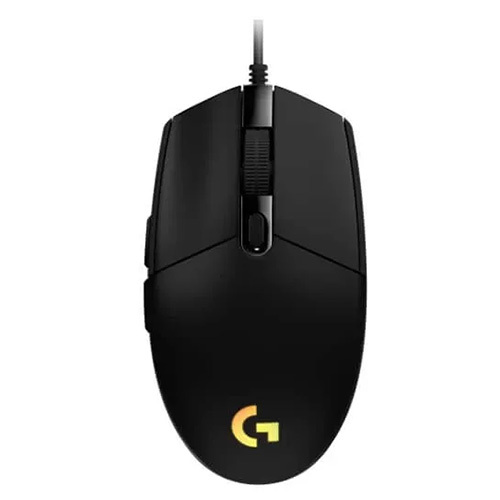
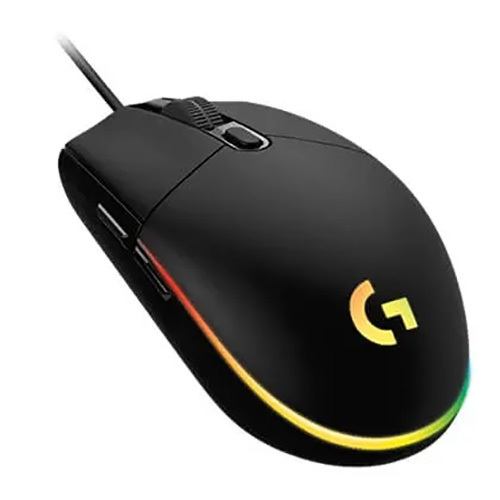
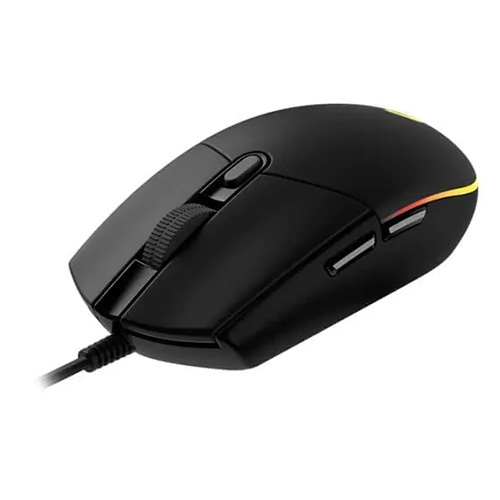
About LOGITECH G203 Lightsync Wired 910-005790-8000DPI 6 Macro Buttons Black Ambidextrous Gaming Mouse
Specifications of LOGITECH G203 Lightsync Wired Ambidextrous Gaming Mouse ( 910-005790 ) ( 8000DPI / 6 Macro Buttons ) ( Black )
Model Brand Logitech
- Model Logitech G203 Lightsync RGB Gaming Mouse (Black)
Spec
- Interface Wired
- Hand Orientation Right Hand
- Color Black
- Maximum dpi 200- 8,000 dpi
- Buttons 6 Programmable Buttons
- Scrolling Capability Scroll wheel
- Tracking Method Gaming-grade sensor
Personalized Gaming PerformanceTune your gaming mouse experience with up to 8000 DPI, six programmable buttons, and RGB Lightsync lighting. The G203's advanced sensor ensures precise tracking and responsive control for any gaming or productivity task.
Ambidextrous and Comfortable DesignDesigned for both left- and right-handed users, the G203 is constructed from durable plastic, weighs just 85g, and fits comfortably in your hand. Its standard size suits various grip styles, adapting to long hours of gaming or workspace use.
Seamless Setup and CustomizationPlug the G203 into your system with the reliable USB interface - no batteries required. Utilize Logitech G HUB software to customize button commands, lighting effects, and DPI settings while saving your profiles directly onto the mouse.
FAQ's of LOGITECH G203 Lightsync Wired 910-005790-8000DPI 6 Macro Buttons Black Ambidextrous Gaming Mouse:
Q: How do I set up and customize the Logitech G203 Lightsync Gaming Mouse?
A: Simply connect the mouse to your computer via USB. Download the Logitech G HUB software to customize button assignments, lighting effects, and DPI settings. You can also save your configurations to the mouse's onboard memory for convenient portability.
Q: What are the benefits of using the G203 Lightsync mouse for gaming and office tasks?
A: The G203 offers precise tracking with up to 8000 DPI, a fast 1ms response time, and six programmable buttons for customizable shortcuts, making it suitable for both competitive gaming and productivity tasks.
Q: When should I use the onboard memory feature?
A: Onboard memory is ideal when you want your preferred lighting, DPI, and button settings to remain consistent, even if you use the mouse on different computers. This is especially useful for gamers or professionals who travel or attend tournaments.
Q: Where can I purchase the Logitech G203 Lightsync in India?
A: You can buy the G203 Lightsync Gaming Mouse from authorized Logitech service providers, suppliers, and traders across India. It is also available through reputable online retailers.
Q: What is the process for assigning macros to the six programmable buttons?
A: Using the Logitech G HUB software, you can assign macros or specific actions to any of the six buttons by selecting the button within the software interface and choosing or recording the desired function.
Q: How does RGB Lightsync lighting enhance the user experience?
A: RGB Lightsync lighting can be customized to display a wide range of colors and effects, allowing users to match their mouse's look with their setup or display important in-game notifications visually.





 Send Inquiry

 Send Inquiry
 Send Inquiry
 Send SMS